
Full-Stack
Developer
& WordPress Expert
Global Digital Value.
From scalable apps to stunning sites, I build systems that drive real results.
ARE YOU
READY?
Website Development
High-performance, scalable web applications using Next.js & React.
Software Development
Custom software solutions tailored to optimize business operations.
UI/UX Design
Intuitive, user-centric interfaces that drive engagement.
WordPress
Custom themes & plugins for the world's most popular CMS.
Shopify
High-converting e-commerce stores with custom functionality.
Graphics & Social Media
Captivating visuals and strategic content for brand growth.
My Portfolio
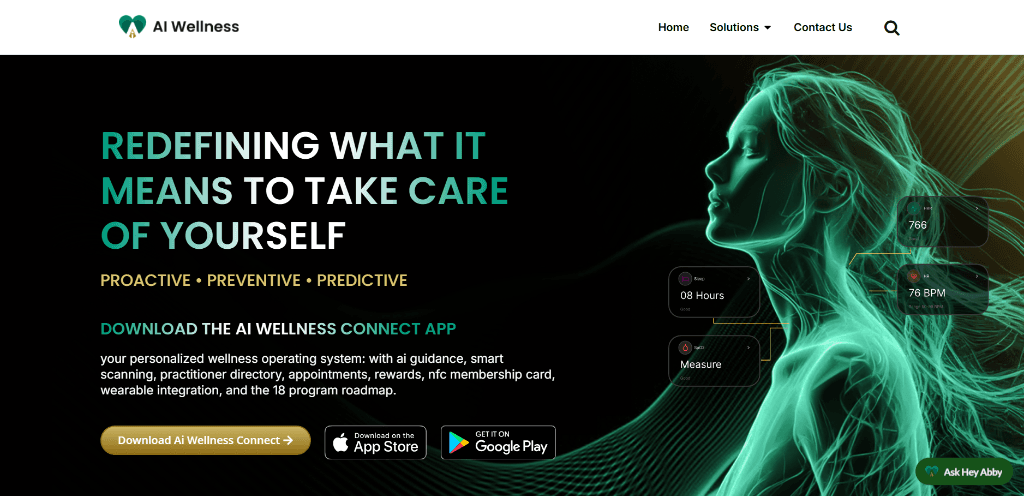
AI Wellness
The Wellness Ecosystem
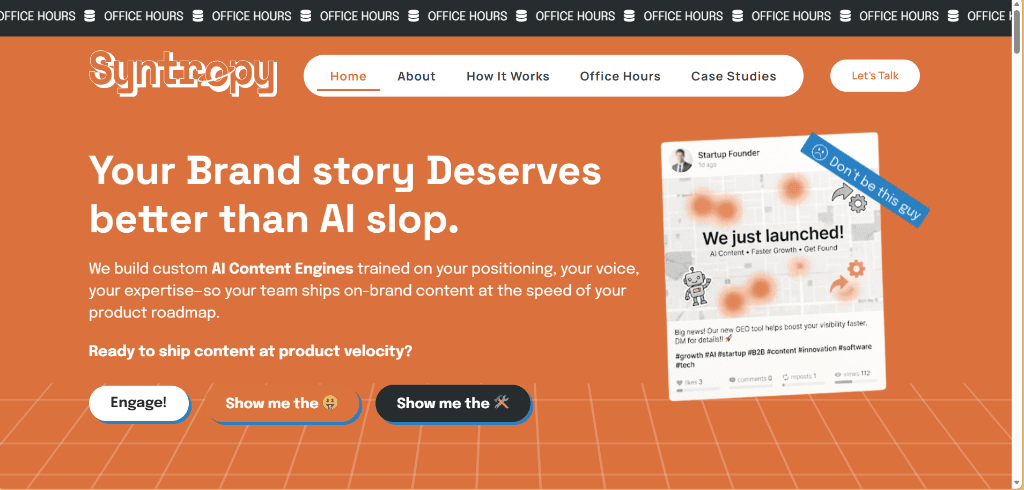
Syntrophy Marketing
AI Content Engine
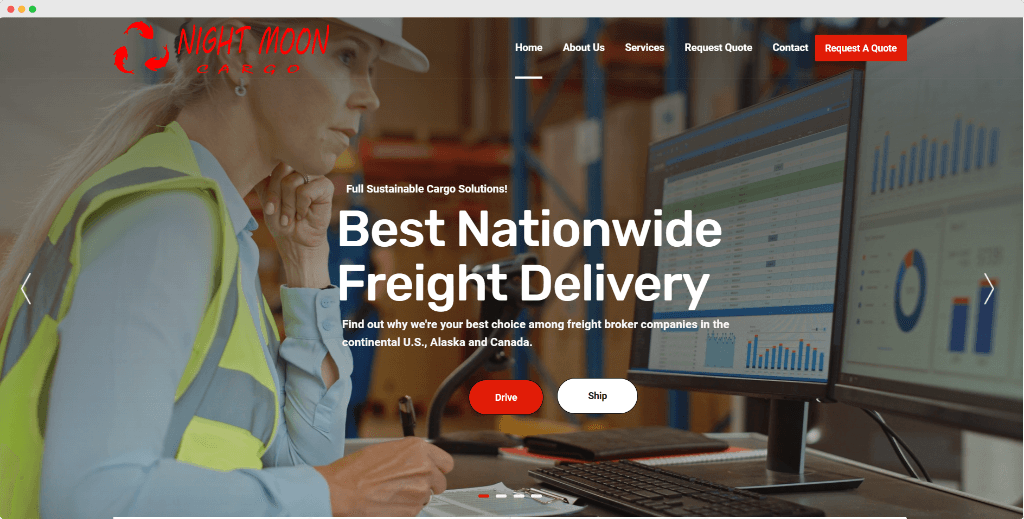
Logistics Pro
Night Moon Cargo
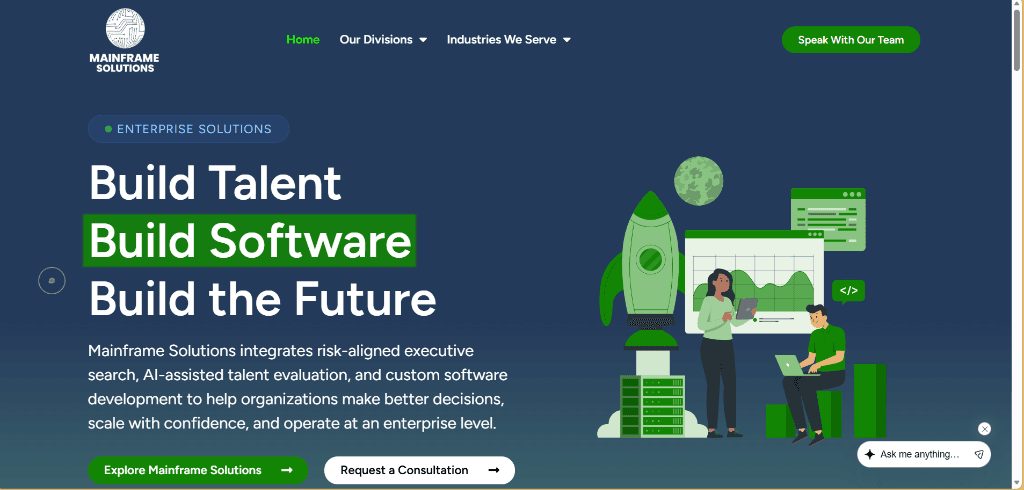
Mainframe Solutions
Enterprise Software & Talent
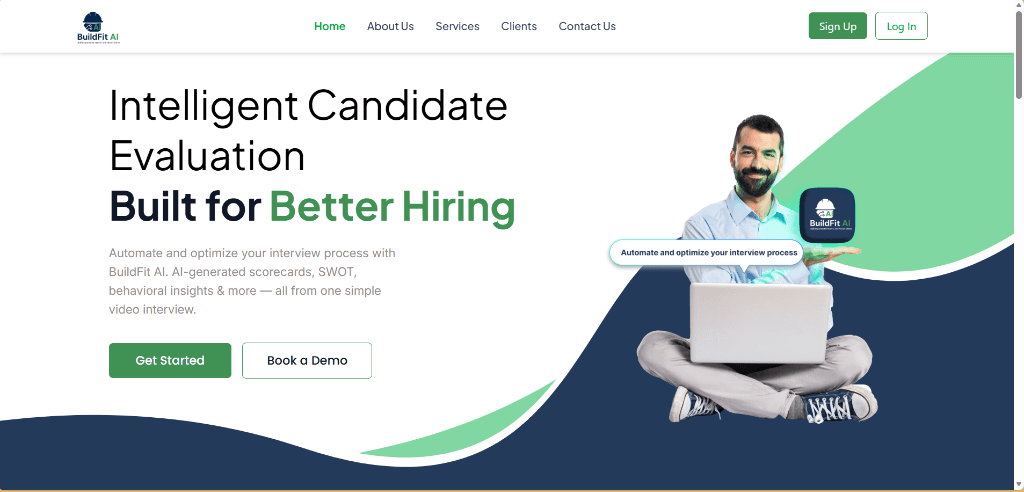
Buildfit AI
Intelligent Hiring Platform
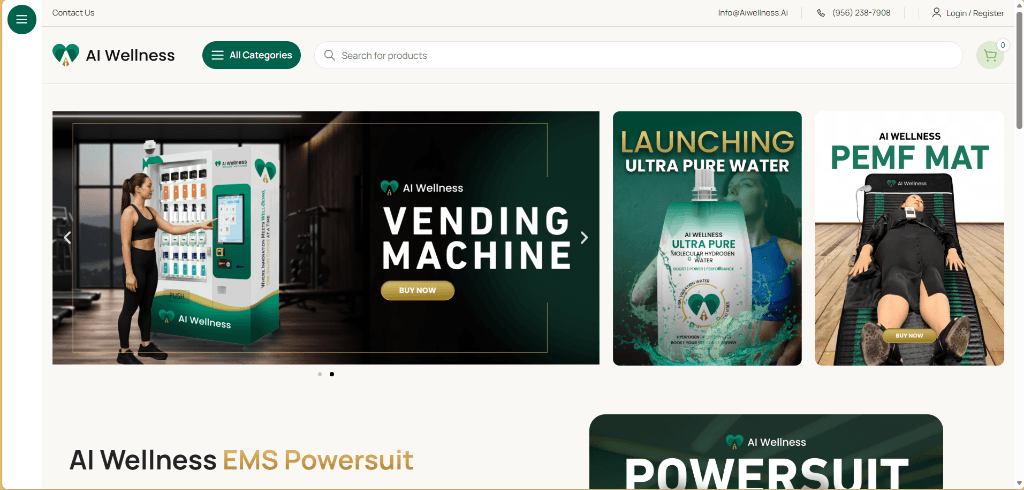
AI Wellness Store
Health Tech Ecommerce
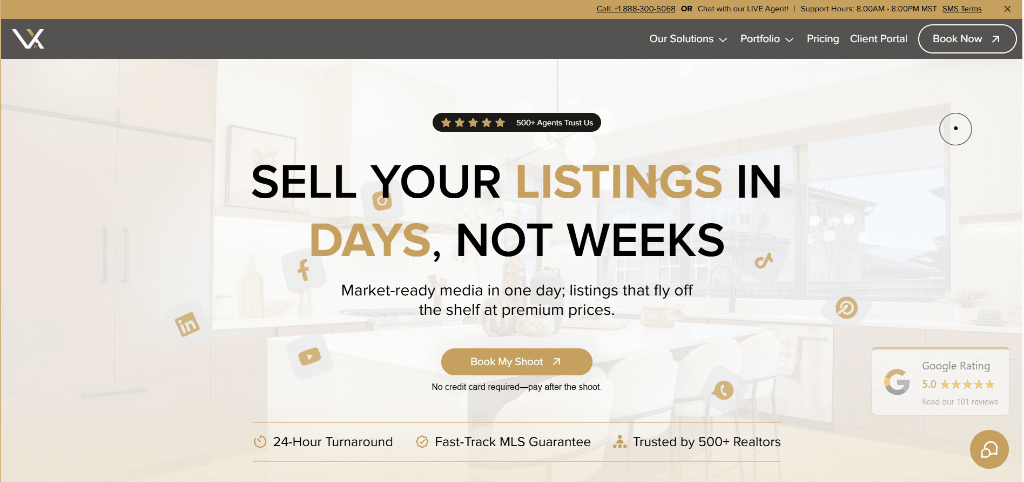
Virtual Xposure
Real Estate Photography
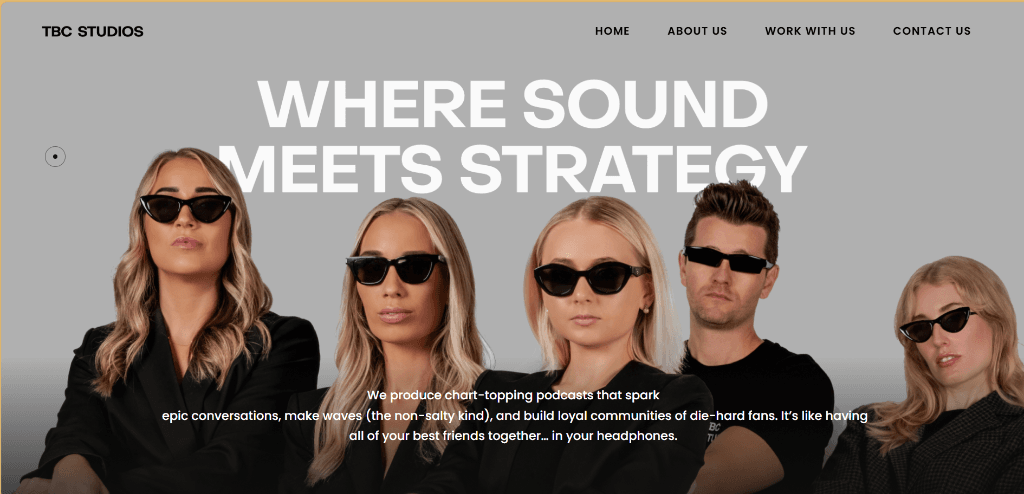
TBC Studios
Where Sound Meets Strategy
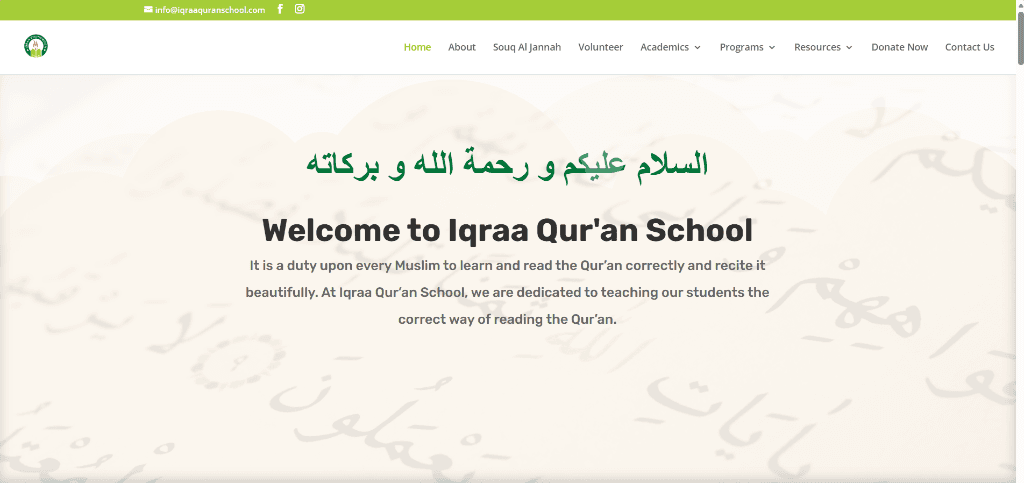
Iqra Quran School
Online Education Platform
Popular Clients
Awesome Clients












Testimonials
Client Feedback

Chad McDonald
CEO at MyInteragent
Website Development
"I really enjoy working with akifwani! Always there to be supportive and talk through the needs of the business."

Blake Jensch
CEO at Virtual Xposure
Website Maintenance
"Excellent experience. I highly recommend Akif to anyone in need of a reliable and talented web developer."

Gary Sharma
CEO at Eurovape
Website Redesign
"Very good worker, good at what he does, communication in English very high. A good allrounder I will order from him soon."

Sheronde Glover
Client
Website Revamp
"He was great to work with. Communicated well, delivered services as described and continued to help me problem solve. I would use this service and provider again."

Ali Jeff
CEO at Auto Parts LLC
Website Development
"Akif goes above and beyond for the work. He is very good in communication. Always reply to the queries and available to answers all the questions. Get job done in timely manner. This is my third year working with Aakeef, and he is an amazing web developer for creating business websites. I particularly enjoyed collaborating with him on WordPress and Shopify Website Projects. I have no plans to stop working with him at all. He is one of the best freelancers in web development. Highly recommended!"
Lisa Estrada
Client
Website Development
"Working with Akif has been an absolute game-changer for my business. From the very beginning, they were professional, responsive, and incredibly knowledgeable. They took the time to understand my goals, offered creative solutions, and translated every idea into a clean, functional, and visually stunning website. What stood out most was their commitment to quality — every pixel, page load, and mobile view was thoughtfully handled. Communication was seamless throughout the process; updates were clear, timelines were met, and any adjustments were handled quickly and professionally. If you’re looking for a web developer who combines technical skill, design intuition, and genuine care for your success, I can’t recommend Akif highly enough. They’re the kind of partner every business owner hopes to find."

George
Client
Website Development
"Aakeef did a great job. Quick turnaround was needed and delivered. Prompt action on everything. High quality work and expertise with WordPress. Great communication. We will use Aakeef again."
Alen
Client
Website Development
"Aakeef was amazing to work with. very effective with his communication, not only did he do the work that was needed, but also took the extra time to explain the process and go the extra mile to make sure i was satisfied. I will definitely be working with him again in the future."
Chad McDonald
CEO at MyInteragent
Website Development
"I really enjoy working with akifwani! Always there to be supportive and talk through the needs of the business."
Blake Jensch
CEO at Virtual Xposure
Website Maintenance
"Excellent experience. I highly recommend Akif to anyone in need of a reliable and talented web developer."
Gary Sharma
CEO at Eurovape
Website Redesign
"Very good worker, good at what he does, communication in English very high. A good allrounder I will order from him soon."
Sheronde Glover
Client
Website Revamp
"He was great to work with. Communicated well, delivered services as described and continued to help me problem solve. I would use this service and provider again."
Ali Jeff
CEO at Auto Parts LLC
Website Development
"Akif goes above and beyond for the work. He is very good in communication. Always reply to the queries and available to answers all the questions. Get job done in timely manner. This is my third year working with Aakeef, and he is an amazing web developer for creating business websites. I particularly enjoyed collaborating with him on WordPress and Shopify Website Projects. I have no plans to stop working with him at all. He is one of the best freelancers in web development. Highly recommended!"
Lisa Estrada
Client
Website Development
"Working with Akif has been an absolute game-changer for my business. From the very beginning, they were professional, responsive, and incredibly knowledgeable. They took the time to understand my goals, offered creative solutions, and translated every idea into a clean, functional, and visually stunning website. What stood out most was their commitment to quality — every pixel, page load, and mobile view was thoughtfully handled. Communication was seamless throughout the process; updates were clear, timelines were met, and any adjustments were handled quickly and professionally. If you’re looking for a web developer who combines technical skill, design intuition, and genuine care for your success, I can’t recommend Akif highly enough. They’re the kind of partner every business owner hopes to find."
George
Client
Website Development
"Aakeef did a great job. Quick turnaround was needed and delivered. Prompt action on everything. High quality work and expertise with WordPress. Great communication. We will use Aakeef again."
Alen
Client
Website Development
"Aakeef was amazing to work with. very effective with his communication, not only did he do the work that was needed, but also took the extra time to explain the process and go the extra mile to make sure i was satisfied. I will definitely be working with him again in the future."
Chad McDonald
CEO at MyInteragent
Website Development
"I really enjoy working with akifwani! Always there to be supportive and talk through the needs of the business."
Blake Jensch
CEO at Virtual Xposure
Website Maintenance
"Excellent experience. I highly recommend Akif to anyone in need of a reliable and talented web developer."
Gary Sharma
CEO at Eurovape
Website Redesign
"Very good worker, good at what he does, communication in English very high. A good allrounder I will order from him soon."
Sheronde Glover
Client
Website Revamp
"He was great to work with. Communicated well, delivered services as described and continued to help me problem solve. I would use this service and provider again."
Ali Jeff
CEO at Auto Parts LLC
Website Development
"Akif goes above and beyond for the work. He is very good in communication. Always reply to the queries and available to answers all the questions. Get job done in timely manner. This is my third year working with Aakeef, and he is an amazing web developer for creating business websites. I particularly enjoyed collaborating with him on WordPress and Shopify Website Projects. I have no plans to stop working with him at all. He is one of the best freelancers in web development. Highly recommended!"
Lisa Estrada
Client
Website Development
"Working with Akif has been an absolute game-changer for my business. From the very beginning, they were professional, responsive, and incredibly knowledgeable. They took the time to understand my goals, offered creative solutions, and translated every idea into a clean, functional, and visually stunning website. What stood out most was their commitment to quality — every pixel, page load, and mobile view was thoughtfully handled. Communication was seamless throughout the process; updates were clear, timelines were met, and any adjustments were handled quickly and professionally. If you’re looking for a web developer who combines technical skill, design intuition, and genuine care for your success, I can’t recommend Akif highly enough. They’re the kind of partner every business owner hopes to find."
George
Client
Website Development
"Aakeef did a great job. Quick turnaround was needed and delivered. Prompt action on everything. High quality work and expertise with WordPress. Great communication. We will use Aakeef again."
Alen
Client
Website Development
"Aakeef was amazing to work with. very effective with his communication, not only did he do the work that was needed, but also took the extra time to explain the process and go the extra mile to make sure i was satisfied. I will definitely be working with him again in the future."
Chad McDonald
CEO at MyInteragent
Website Development
"I really enjoy working with akifwani! Always there to be supportive and talk through the needs of the business."
Blake Jensch
CEO at Virtual Xposure
Website Maintenance
"Excellent experience. I highly recommend Akif to anyone in need of a reliable and talented web developer."
Gary Sharma
CEO at Eurovape
Website Redesign
"Very good worker, good at what he does, communication in English very high. A good allrounder I will order from him soon."
Sheronde Glover
Client
Website Revamp
"He was great to work with. Communicated well, delivered services as described and continued to help me problem solve. I would use this service and provider again."
Ali Jeff
CEO at Auto Parts LLC
Website Development
"Akif goes above and beyond for the work. He is very good in communication. Always reply to the queries and available to answers all the questions. Get job done in timely manner. This is my third year working with Aakeef, and he is an amazing web developer for creating business websites. I particularly enjoyed collaborating with him on WordPress and Shopify Website Projects. I have no plans to stop working with him at all. He is one of the best freelancers in web development. Highly recommended!"
Lisa Estrada
Client
Website Development
"Working with Akif has been an absolute game-changer for my business. From the very beginning, they were professional, responsive, and incredibly knowledgeable. They took the time to understand my goals, offered creative solutions, and translated every idea into a clean, functional, and visually stunning website. What stood out most was their commitment to quality — every pixel, page load, and mobile view was thoughtfully handled. Communication was seamless throughout the process; updates were clear, timelines were met, and any adjustments were handled quickly and professionally. If you’re looking for a web developer who combines technical skill, design intuition, and genuine care for your success, I can’t recommend Akif highly enough. They’re the kind of partner every business owner hopes to find."
George
Client
Website Development
"Aakeef did a great job. Quick turnaround was needed and delivered. Prompt action on everything. High quality work and expertise with WordPress. Great communication. We will use Aakeef again."
Alen
Client
Website Development
"Aakeef was amazing to work with. very effective with his communication, not only did he do the work that was needed, but also took the extra time to explain the process and go the extra mile to make sure i was satisfied. I will definitely be working with him again in the future."
Chad McDonald
CEO at MyInteragent
Website Development
"I really enjoy working with akifwani! Always there to be supportive and talk through the needs of the business."
Blake Jensch
CEO at Virtual Xposure
Website Maintenance
"Excellent experience. I highly recommend Akif to anyone in need of a reliable and talented web developer."
Gary Sharma
CEO at Eurovape
Website Redesign
"Very good worker, good at what he does, communication in English very high. A good allrounder I will order from him soon."
Sheronde Glover
Client
Website Revamp
"He was great to work with. Communicated well, delivered services as described and continued to help me problem solve. I would use this service and provider again."
Ali Jeff
CEO at Auto Parts LLC
Website Development
"Akif goes above and beyond for the work. He is very good in communication. Always reply to the queries and available to answers all the questions. Get job done in timely manner. This is my third year working with Aakeef, and he is an amazing web developer for creating business websites. I particularly enjoyed collaborating with him on WordPress and Shopify Website Projects. I have no plans to stop working with him at all. He is one of the best freelancers in web development. Highly recommended!"
Lisa Estrada
Client
Website Development
"Working with Akif has been an absolute game-changer for my business. From the very beginning, they were professional, responsive, and incredibly knowledgeable. They took the time to understand my goals, offered creative solutions, and translated every idea into a clean, functional, and visually stunning website. What stood out most was their commitment to quality — every pixel, page load, and mobile view was thoughtfully handled. Communication was seamless throughout the process; updates were clear, timelines were met, and any adjustments were handled quickly and professionally. If you’re looking for a web developer who combines technical skill, design intuition, and genuine care for your success, I can’t recommend Akif highly enough. They’re the kind of partner every business owner hopes to find."
George
Client
Website Development
"Aakeef did a great job. Quick turnaround was needed and delivered. Prompt action on everything. High quality work and expertise with WordPress. Great communication. We will use Aakeef again."
Alen
Client
Website Development
"Aakeef was amazing to work with. very effective with his communication, not only did he do the work that was needed, but also took the extra time to explain the process and go the extra mile to make sure i was satisfied. I will definitely be working with him again in the future."
Chad McDonald
CEO at MyInteragent
Website Development
"I really enjoy working with akifwani! Always there to be supportive and talk through the needs of the business."
Blake Jensch
CEO at Virtual Xposure
Website Maintenance
"Excellent experience. I highly recommend Akif to anyone in need of a reliable and talented web developer."
Gary Sharma
CEO at Eurovape
Website Redesign
"Very good worker, good at what he does, communication in English very high. A good allrounder I will order from him soon."
Sheronde Glover
Client
Website Revamp
"He was great to work with. Communicated well, delivered services as described and continued to help me problem solve. I would use this service and provider again."
Ali Jeff
CEO at Auto Parts LLC
Website Development
"Akif goes above and beyond for the work. He is very good in communication. Always reply to the queries and available to answers all the questions. Get job done in timely manner. This is my third year working with Aakeef, and he is an amazing web developer for creating business websites. I particularly enjoyed collaborating with him on WordPress and Shopify Website Projects. I have no plans to stop working with him at all. He is one of the best freelancers in web development. Highly recommended!"
Lisa Estrada
Client
Website Development
"Working with Akif has been an absolute game-changer for my business. From the very beginning, they were professional, responsive, and incredibly knowledgeable. They took the time to understand my goals, offered creative solutions, and translated every idea into a clean, functional, and visually stunning website. What stood out most was their commitment to quality — every pixel, page load, and mobile view was thoughtfully handled. Communication was seamless throughout the process; updates were clear, timelines were met, and any adjustments were handled quickly and professionally. If you’re looking for a web developer who combines technical skill, design intuition, and genuine care for your success, I can’t recommend Akif highly enough. They’re the kind of partner every business owner hopes to find."
George
Client
Website Development
"Aakeef did a great job. Quick turnaround was needed and delivered. Prompt action on everything. High quality work and expertise with WordPress. Great communication. We will use Aakeef again."
Alen
Client
Website Development
"Aakeef was amazing to work with. very effective with his communication, not only did he do the work that was needed, but also took the extra time to explain the process and go the extra mile to make sure i was satisfied. I will definitely be working with him again in the future."
Chad McDonald
CEO at MyInteragent
Website Development
"I really enjoy working with akifwani! Always there to be supportive and talk through the needs of the business."
Blake Jensch
CEO at Virtual Xposure
Website Maintenance
"Excellent experience. I highly recommend Akif to anyone in need of a reliable and talented web developer."
Gary Sharma
CEO at Eurovape
Website Redesign
"Very good worker, good at what he does, communication in English very high. A good allrounder I will order from him soon."
Sheronde Glover
Client
Website Revamp
"He was great to work with. Communicated well, delivered services as described and continued to help me problem solve. I would use this service and provider again."
Ali Jeff
CEO at Auto Parts LLC
Website Development
"Akif goes above and beyond for the work. He is very good in communication. Always reply to the queries and available to answers all the questions. Get job done in timely manner. This is my third year working with Aakeef, and he is an amazing web developer for creating business websites. I particularly enjoyed collaborating with him on WordPress and Shopify Website Projects. I have no plans to stop working with him at all. He is one of the best freelancers in web development. Highly recommended!"
Lisa Estrada
Client
Website Development
"Working with Akif has been an absolute game-changer for my business. From the very beginning, they were professional, responsive, and incredibly knowledgeable. They took the time to understand my goals, offered creative solutions, and translated every idea into a clean, functional, and visually stunning website. What stood out most was their commitment to quality — every pixel, page load, and mobile view was thoughtfully handled. Communication was seamless throughout the process; updates were clear, timelines were met, and any adjustments were handled quickly and professionally. If you’re looking for a web developer who combines technical skill, design intuition, and genuine care for your success, I can’t recommend Akif highly enough. They’re the kind of partner every business owner hopes to find."
George
Client
Website Development
"Aakeef did a great job. Quick turnaround was needed and delivered. Prompt action on everything. High quality work and expertise with WordPress. Great communication. We will use Aakeef again."
Alen
Client
Website Development
"Aakeef was amazing to work with. very effective with his communication, not only did he do the work that was needed, but also took the extra time to explain the process and go the extra mile to make sure i was satisfied. I will definitely be working with him again in the future."
Chad McDonald
CEO at MyInteragent
Website Development
"I really enjoy working with akifwani! Always there to be supportive and talk through the needs of the business."
Blake Jensch
CEO at Virtual Xposure
Website Maintenance
"Excellent experience. I highly recommend Akif to anyone in need of a reliable and talented web developer."
Gary Sharma
CEO at Eurovape
Website Redesign
"Very good worker, good at what he does, communication in English very high. A good allrounder I will order from him soon."
Sheronde Glover
Client
Website Revamp
"He was great to work with. Communicated well, delivered services as described and continued to help me problem solve. I would use this service and provider again."
Ali Jeff
CEO at Auto Parts LLC
Website Development
"Akif goes above and beyond for the work. He is very good in communication. Always reply to the queries and available to answers all the questions. Get job done in timely manner. This is my third year working with Aakeef, and he is an amazing web developer for creating business websites. I particularly enjoyed collaborating with him on WordPress and Shopify Website Projects. I have no plans to stop working with him at all. He is one of the best freelancers in web development. Highly recommended!"
Lisa Estrada
Client
Website Development
"Working with Akif has been an absolute game-changer for my business. From the very beginning, they were professional, responsive, and incredibly knowledgeable. They took the time to understand my goals, offered creative solutions, and translated every idea into a clean, functional, and visually stunning website. What stood out most was their commitment to quality — every pixel, page load, and mobile view was thoughtfully handled. Communication was seamless throughout the process; updates were clear, timelines were met, and any adjustments were handled quickly and professionally. If you’re looking for a web developer who combines technical skill, design intuition, and genuine care for your success, I can’t recommend Akif highly enough. They’re the kind of partner every business owner hopes to find."
George
Client
Website Development
"Aakeef did a great job. Quick turnaround was needed and delivered. Prompt action on everything. High quality work and expertise with WordPress. Great communication. We will use Aakeef again."
Alen
Client
Website Development
"Aakeef was amazing to work with. very effective with his communication, not only did he do the work that was needed, but also took the extra time to explain the process and go the extra mile to make sure i was satisfied. I will definitely be working with him again in the future."
Pricing
Project Calculator
Get a quick estimate for your next project.
Estimated Cost
Note: This is an estimated price for quotation purposes only...